Journal entry
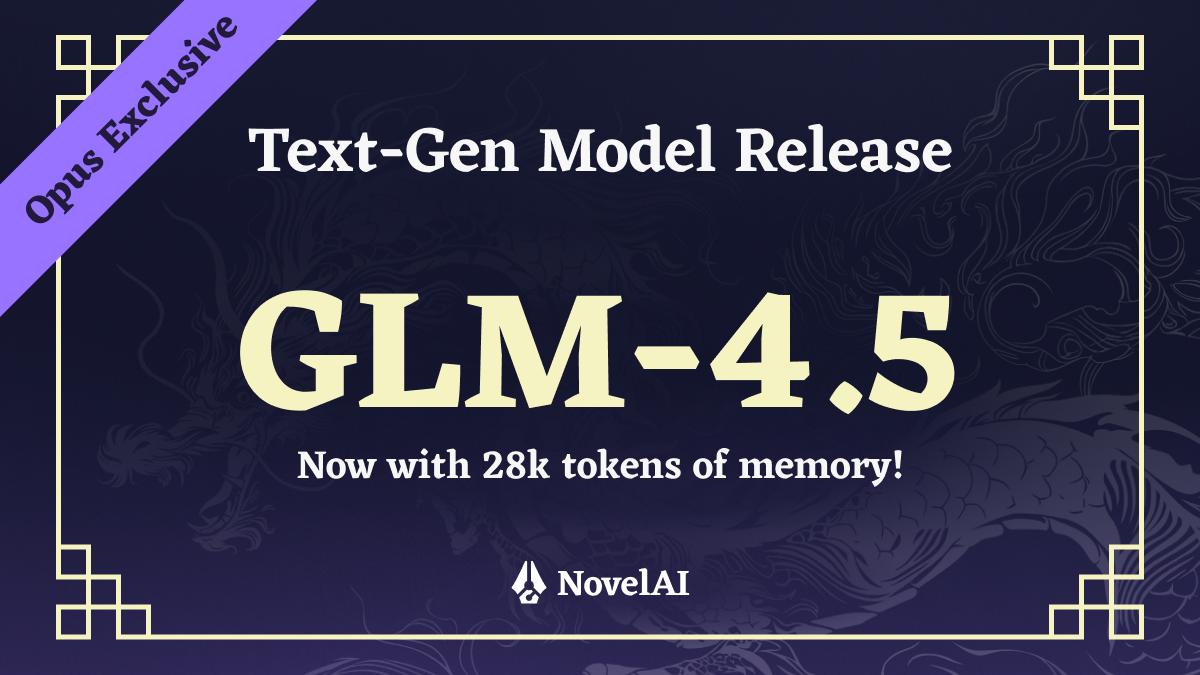
[Text Model Release] Introducing GLM-4.5 (Untuned Preview) for NovelAI Opus
Thank you for your patience. Today, we are very pleased to make GLM-4.5 available to you, the model which will serve as the base of our next finetune. The name goes along quite well with our NovelAI Diffusion V4.5 model, doesn’t it? Of course, we will be finetuning it to be up to our storytelling model standards, but since our text users haven’t gotten much in the way of upgrades lately, we decided to go ahead and, for now, release the untuned model as a preview. It is already quite capable and allowed us to add some interesting, new features to our storyteller.
We have tried out a lot of different models that could possibly serve as the base for our next storytelling model, probing them for creativity, knowledge of pop-culture and seeing how well they do at writing. In the end, we settled on GLM-4.5, a massive 355 billion parameter Mixture of Experts model.
GLM-4.5 is now available with a context size of 28,672 tokens on our website, plus a 8192 token rollover window. The rollover window means that the actual usable context size in the story editor will be somewhere between 28,672 and 36,864 tokens as the story will grow up to the maximum size, before being reduced back down to 28,672. The purpose of this rollover window is to let you use as much context as possible, while keeping generations snappy, as it allows some special optimizations. Overall, this about quadruples the available context size compared to our existing models. As a reminder, one token is worth about four characters of text, so you roughly get 112,000 to 144,000 characters of memory size.
During testing, we found that having a new model to play with, the increase in context size and the new features were quite a breath of fresh air, so we hope you’ll also enjoy this release until we finish our work finetuning the model. Of course, since it is currently an untuned instruct model, it may sometimes behave in undesirable ways, but we have set it up in a way that should minimize such occurrences. Do note that certain NovelAI specific formatting like the ATTG is not explicitly supported by this model, but it will most likely still understand the general meaning of an ATTG line if you provide one.
For performance, to be able to offer large context sizes, we had to cut out a chunk of our advanced sampling options such as phrase bias, various samplers and sampler order. However, you will find that this model needs much less fiddling with samplers to begin with. Just a very basic preset works very well to generate highly coherent text.
The new model will be available only for our Opus subscribers for about two weeks. After those two weeks, Tablet and Scroll will get access as well.
Writer’s Toolbox
The Writer’s Toolbox is a new feature that we’ve been working on for quite some time. The toolbox contains various tools that let you change things that you have already written. You can access the Writer’s Toolbox from the context menu on selected text in the editor or with the magic wand icon to the left of each paragraph.
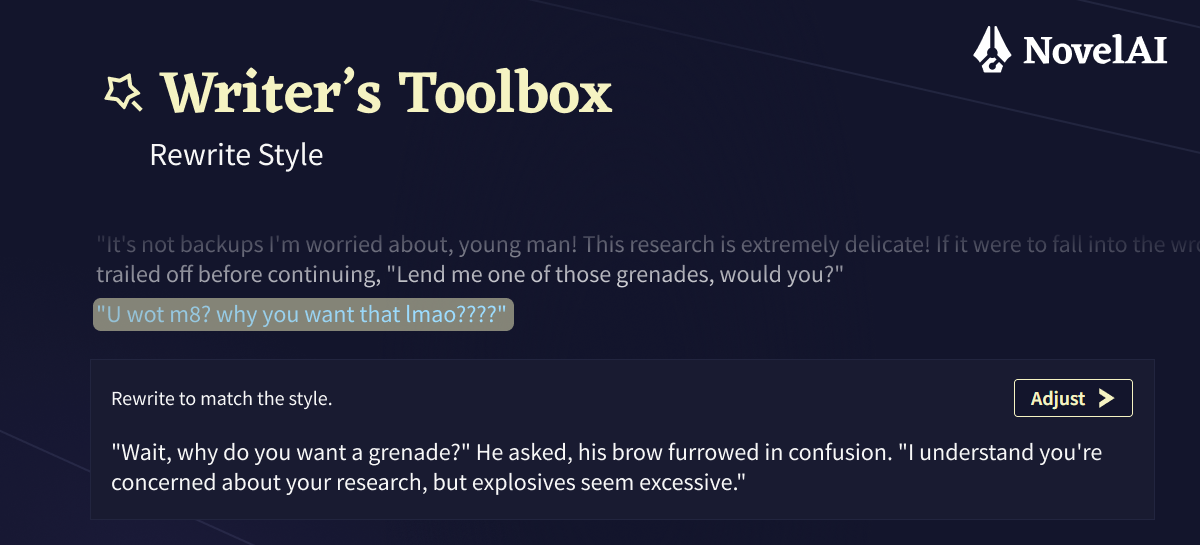
Tool: Rewrite
The rewrite tool will rewrite a selected passage in such a way that it stylistically matches the existing story so far. This can be quite helpful if you find that you or the model have drifted a bit off course as far as the style you’re aiming for is concerned.
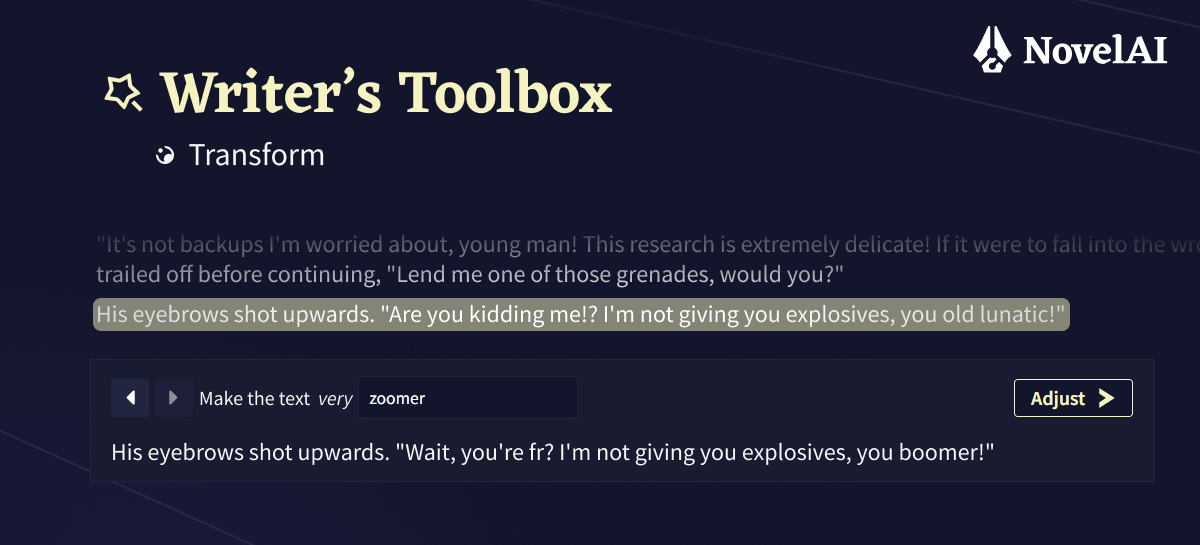
Tool: Transform (previously named Latent Shifter)
Did you ever wonder what a passage of your writing would look like if it was more “peanut butter”? Did you ever struggle to infuse your writing with the right dose of holiday spirit for “Christmas”? With the Transform tool, you can specify a concept and a strength and the model will rewrite a selected passage and imbue it with that concept.
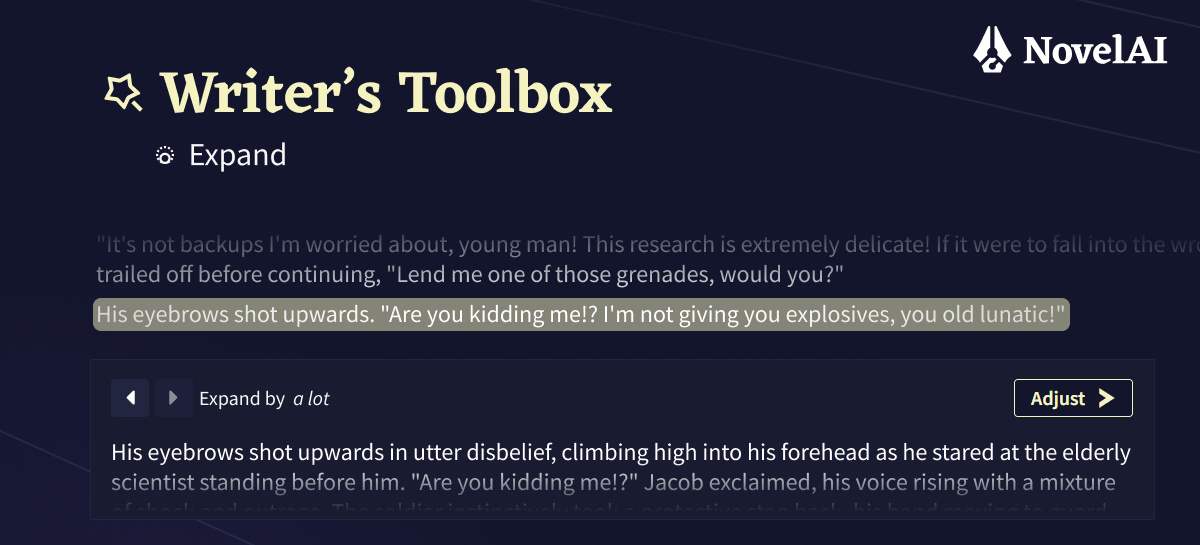
Tool: Expand
This tool will help you when you want to see a passage written with more detail. It’s useful for exploration and inspiration. Just bang out a bare bones beige prose paragraph and let the model do the work.
Tool: Condense
Condense does the opposite of Expand. When your prose gets too purple to read, Condense is an easy way to cut down on it a bit. It might also serve for summarizing or easily grasping the essence of what is written in a passage.
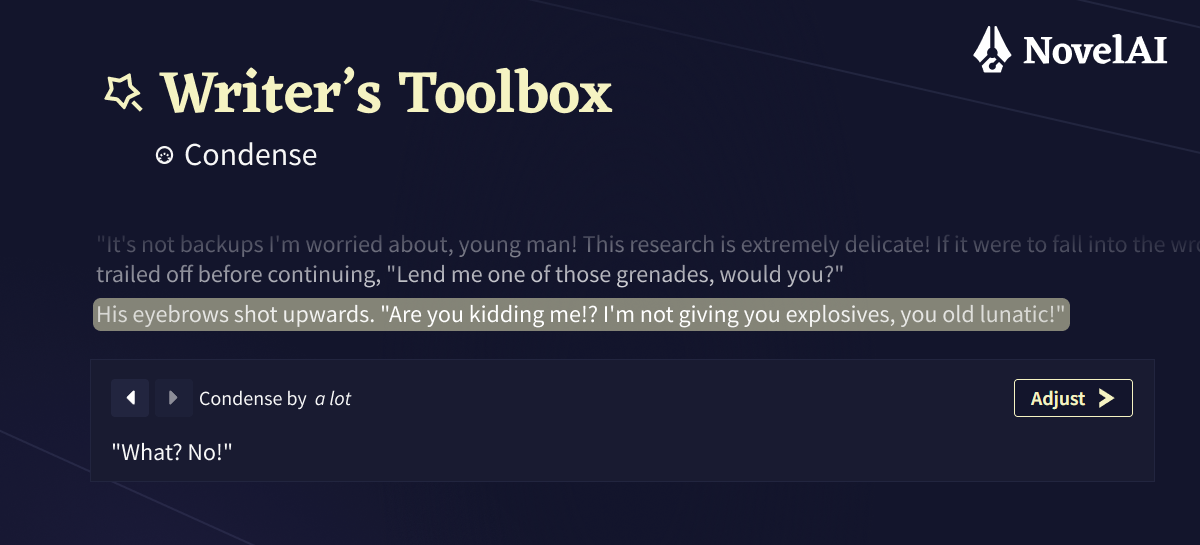
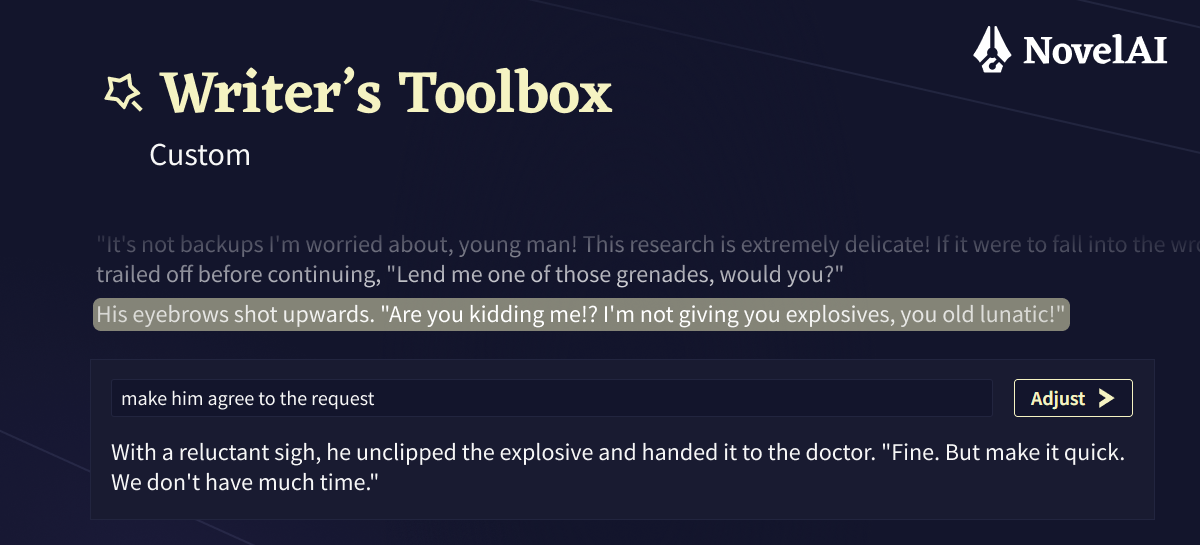
Tool: Custom
This tool is very flexible. Select a passage of text and simply tell the model how you would like it to be transformed.
Updated Text Adventure Mode
We have also taken the opportunity to update the way our text adventure mode works with GLM-4.5. It should be quite reliable at narrating your adventures. If you prefer your adventures to have more of a CYOA taste, where you pick your next action from a list of options, you can try putting something like “[ Tags: text adventure, fantasy, CYOA ]” in your adventure’s memory box.
Instruct
Since GLM-4.5 is a real instruct model, our inline Instruct functionality is back in full force. At any point in your story, starting a paragraph with “{“ will add an Instruct block, where you can just tell the model what to write. For convenience, we have also added the ability to continue instruct messages over multiple lines with Shift+Enter.
Multi-Language Support
GLM-4.5 has strong capabilities in many languages. It is very capable in English, Japanese and Chinese, but you may also find that it can help you write in many other languages. Make sure to give writing in your favorite language a try!
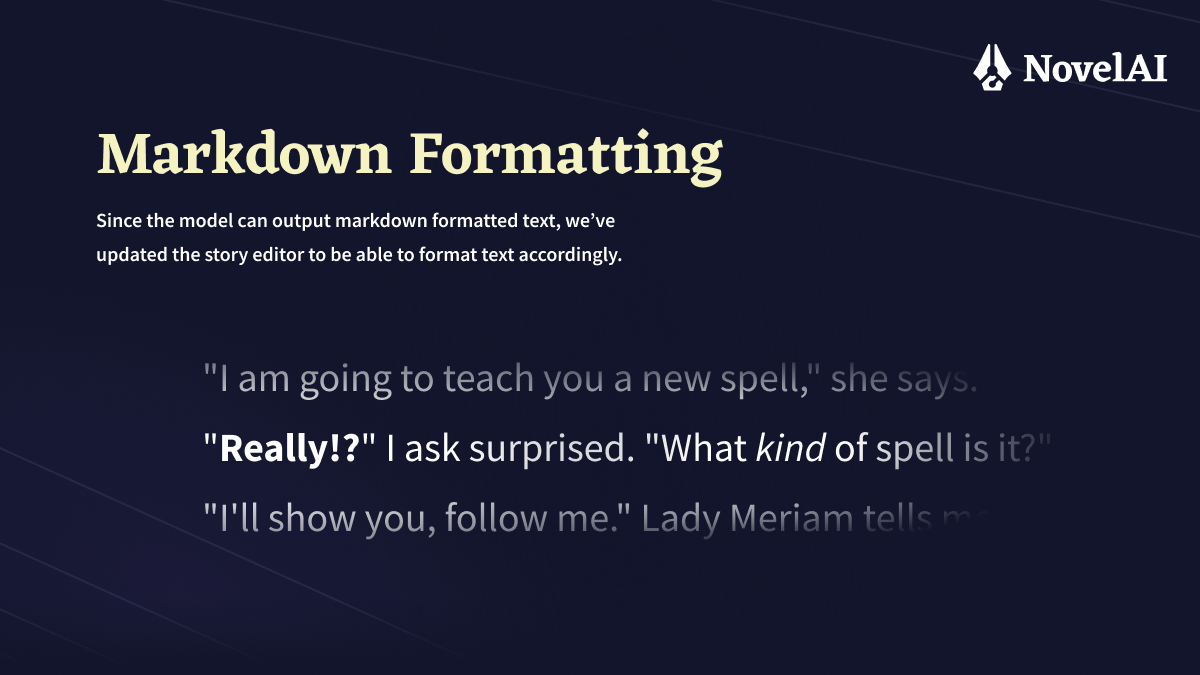
Markdown Formatting
Since the model can output markdown formatted text, we’ve updated the story editor to be able to format text accordingly, although it’s only a subset of markdown that is supported (e.g. bold, italic, and strike through).
Updated Memory/Author’s Note
We have modified the way Memory and Author’s Note are inserted into the context sent to the model. They are no longer simply inserted as part of the story text, but inserted in a different way that will improve both adherence to the information contained in them, while also reducing leakage. The Author’s Note box should now actually function more closely to how you would imagine it to work and can be used for steering the story.
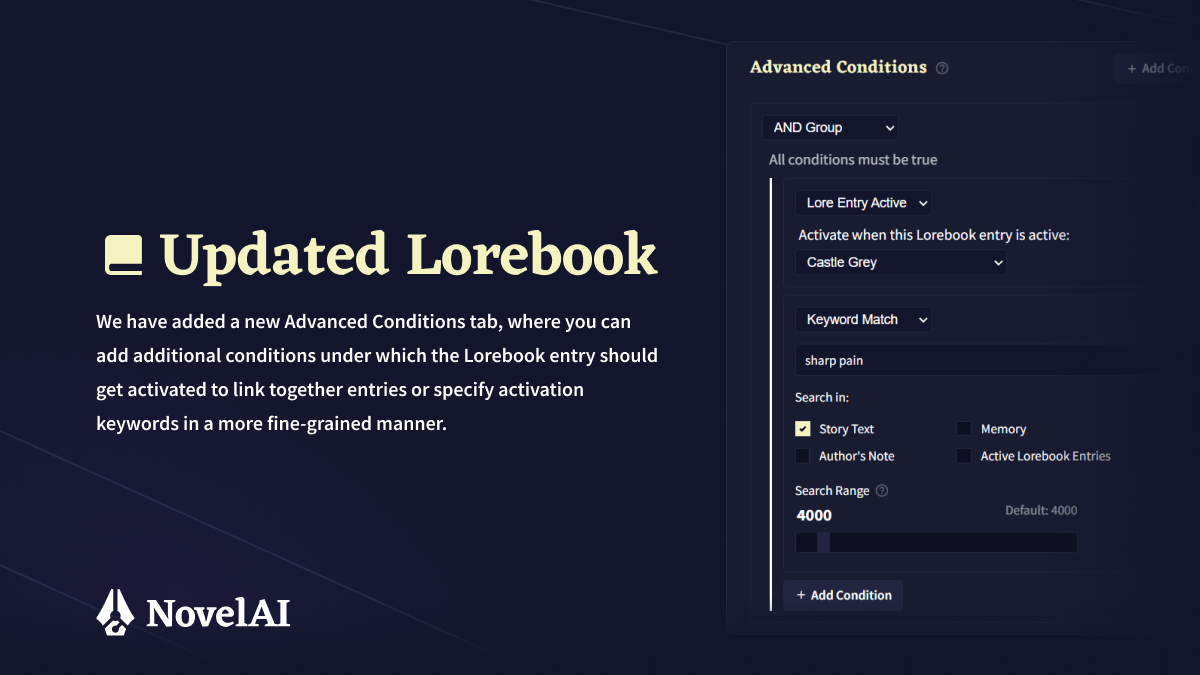
Updated Lorebook
For performance reasons and to be able to offer larger context sizes, we had to remove the advanced context insertion settings from our Lorebooks. To make up for it, we have added a new Advanced Conditions tab, where you add additional conditions under which the Lorebook entry should get activated to link together entries or specify activation keywords in a more fine-grained manner. Additionally, using “&” in regular lorebook keys has gained a new meaning. Using it means that multiple keys need to be within the activation search window, so a lorebook key of “NovelAI & Anlatan” would activate only if both “NovelAI” and “Anlatan” are within recent context.
Similarly to Memory and Author’s Note, we have also adjusted the way lorebook entries are inserted into context to make them work more consistently and reduce leakage.