Journal entry
Preview Release: NovelAI Character Reference for Consistent Characters
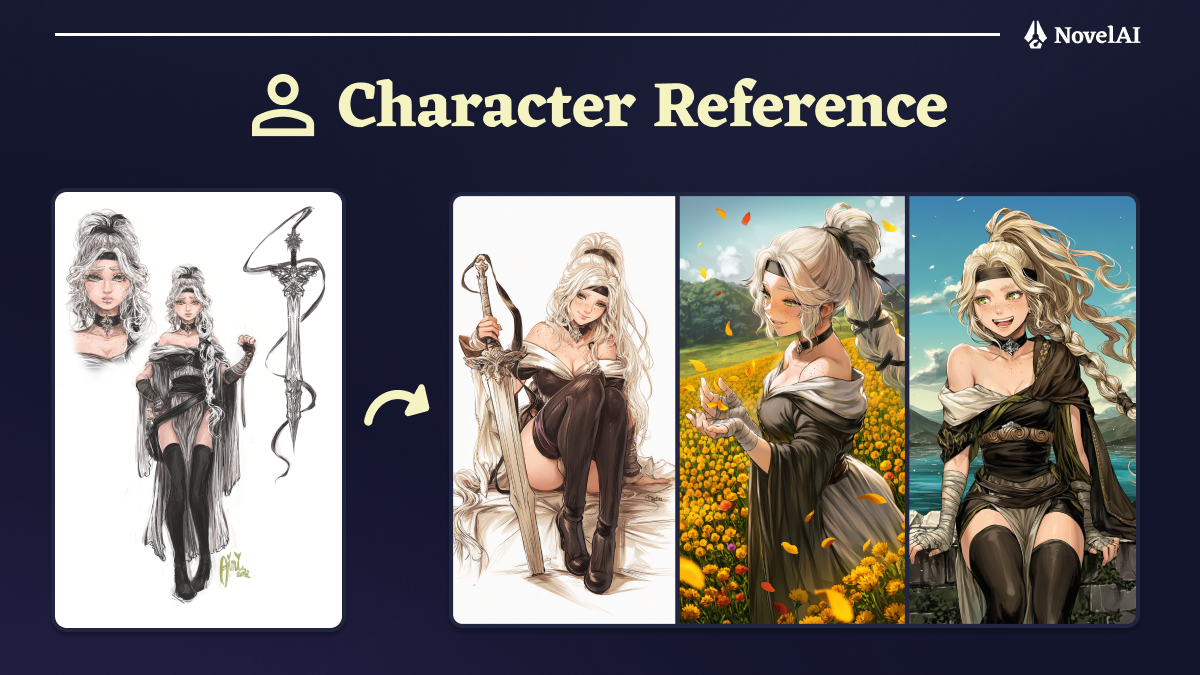
We are very pleased to bring you the preview version of our newest feature: NovelAI Character Reference!
With Character Reference, you simply add an image of the character you want to reproduce in your generated image and, often without even needing to tag any details, the model will do its best to accurately represent the character. This finally allows you to keep characters you create consistent and even to generate art of characters that the model does not intrinsically know. It’s time to bring your favorite OCs to life!
There is a single option on the Character Reference feature, the “Style aware” checkbox. When ticked, which it is by default, it will automatically transfer character relevant style information from the reference to the image. This will usually make characters more easy to recognize, as details such as specific ways the eyes are drawn are reproduced more accurately. It usually will not fully copy the art style of the reference however and concentrate on the qualities that truly define the character’s individuality.
Unticking the “Style aware” checkbox will give you maximum stylistic flexibility as the influence of the reference’s style on your image is minimized. If you want to really stylize your image, unticking it may be the way you want to go.
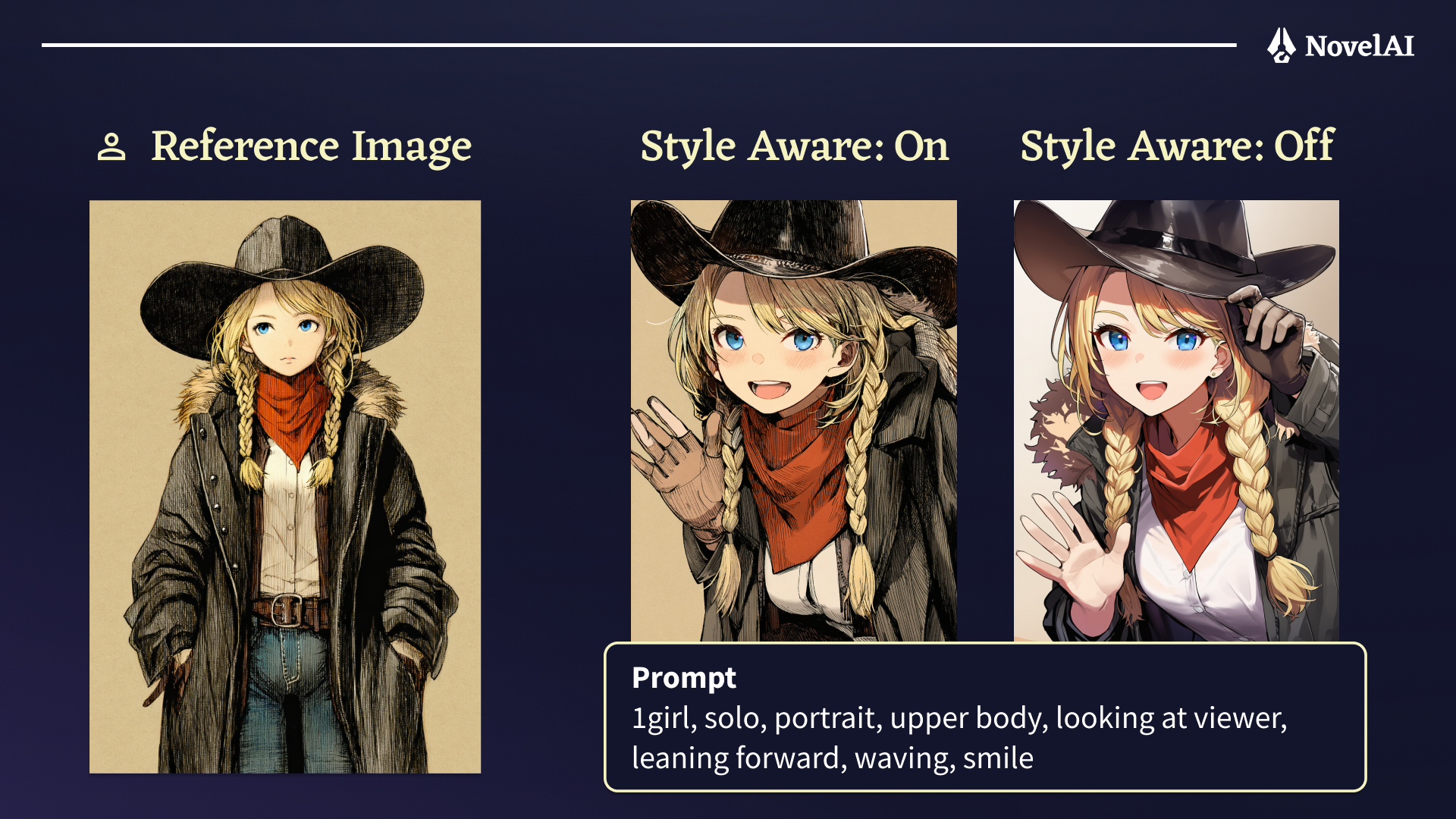
Every image you use as a Character Reference may produce different results, so please experiment with various images to find the best references for what you want to generate.
During testing, we have found that a full body shot of a standing character in a neutral pose on a basic background usually makes for a reliable reference. Adding a zoomed in crop of the face in one of the corners of the image can be beneficial as well. Clean illustrations usually make the best references, as more painterly or sketchy styles can make it hard for the model to see what finer details are supposed to look like. If you find that the model is a bit reluctant to reproduce your character’s specific outfit, adding some tags reinforcing those aspects of the reference is usually enough to make it snap to attention.
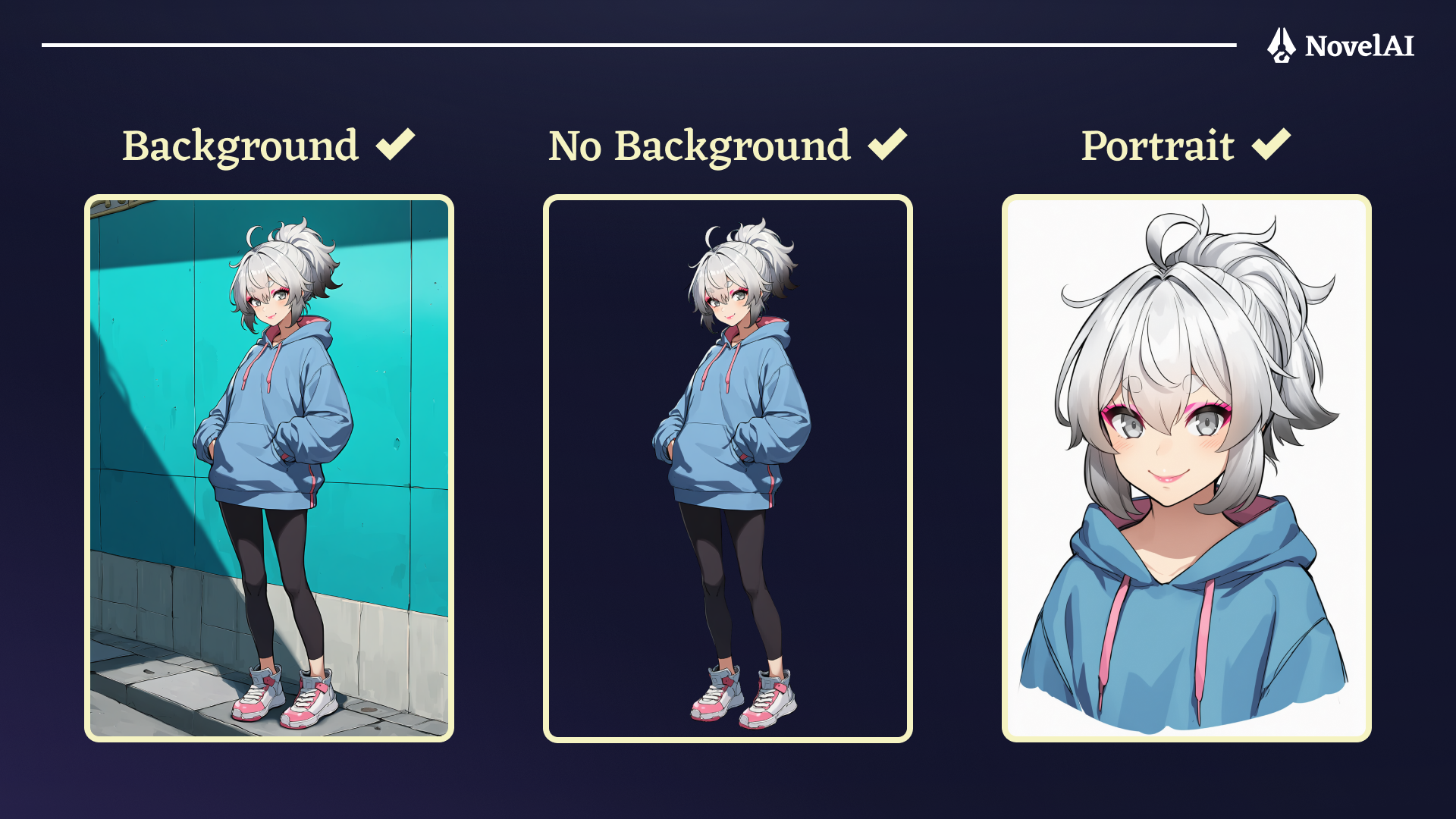
If you really want to optimize reproduction, you may want to prepare a reference image in one of our three “large” resolutions (1024x1536, 1472x1472, or 1536x1024) and make the parts of the character that you wish to generate as large as possible on the chosen canvas (e.g. when generating an upper body shot, having an upper body reference will allow the model to see the details of the character in the highest possible detail).
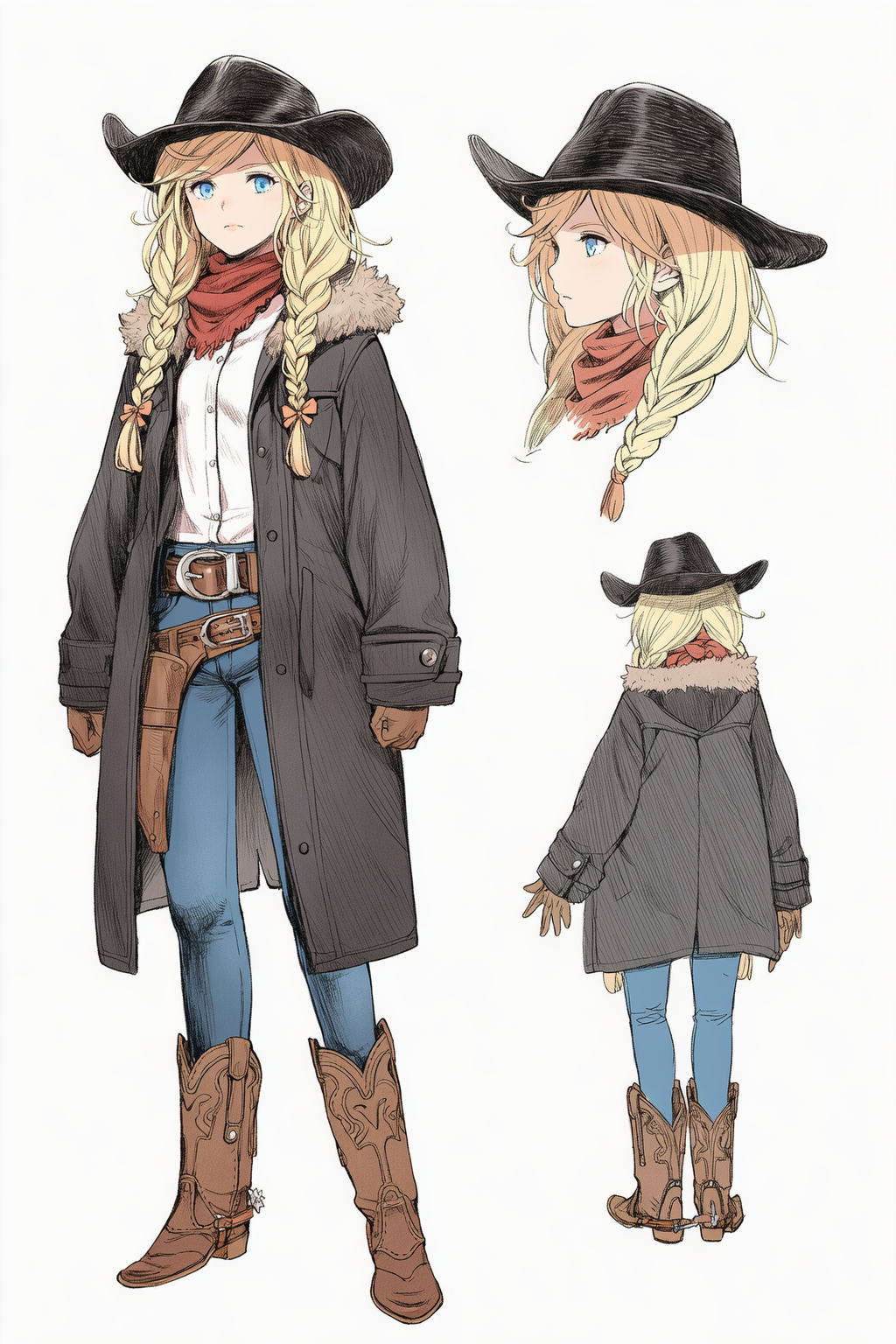
If you are aiming for a single flexible reference that allows you to generate many different views, using a turnaround reference sheet with multiple views may be the best choice for you. In any case, your reference will always be fit into a canvas of one of the three sizes mentioned above.
Since this is a preview release, it is not quite fully featured yet: inpainting does not make use of the Character Reference image and there is only a single reference for the whole image, so it can be tricky to use it with multiple characters.
Note: Character Reference is only available for NovelAI Diffusion V4.5 Full and Curated. Vibe Transfer is also incompatible with Character Reference.
In the future, we will be updating the Character Reference feature with improved versions and adding additional features.
**Gallery
**To show off the full power of our Character Reference feature, be sure to check out this collection of example images from our testers.
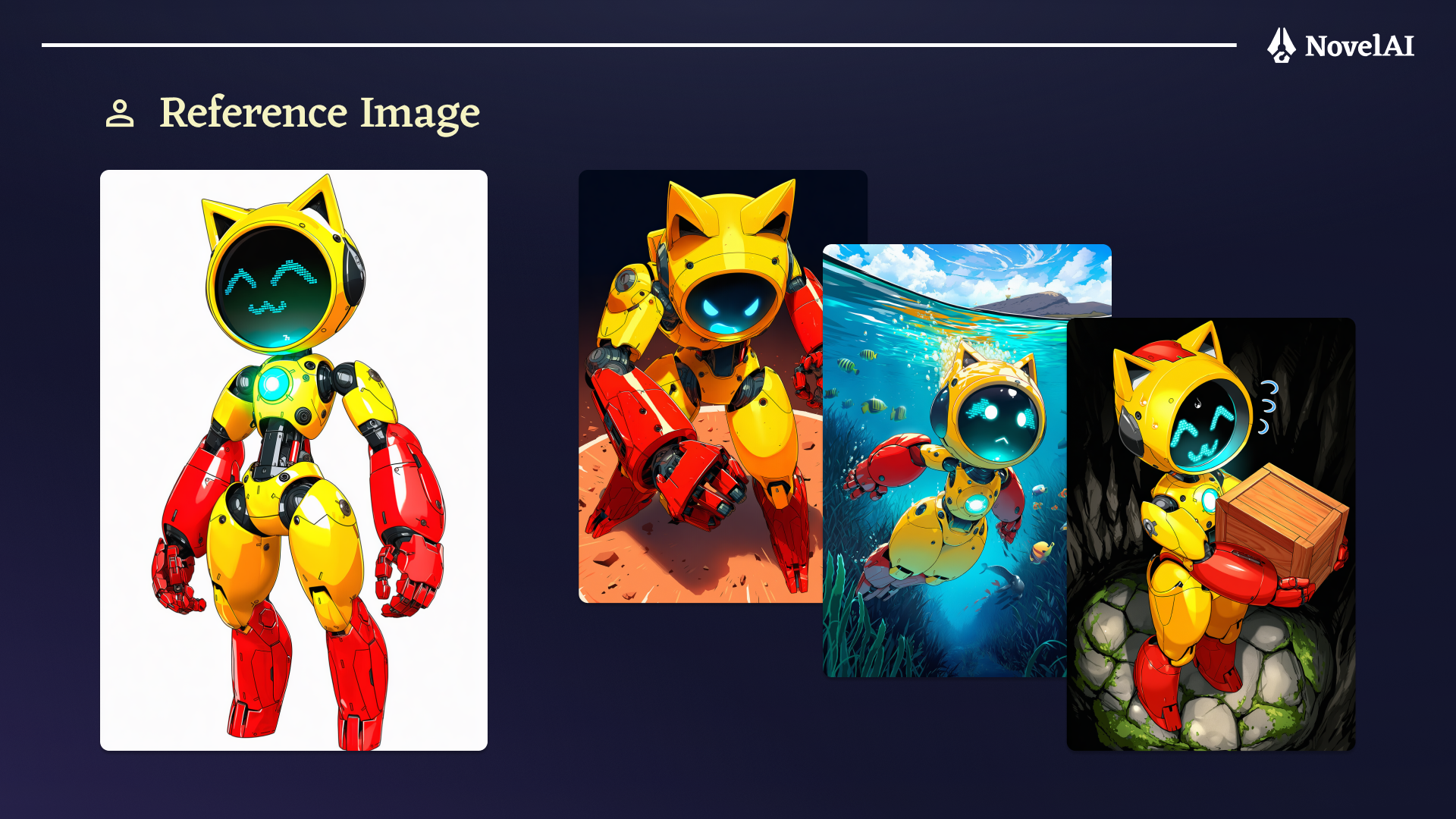
Images generated by @DTM_tentacle69 on X
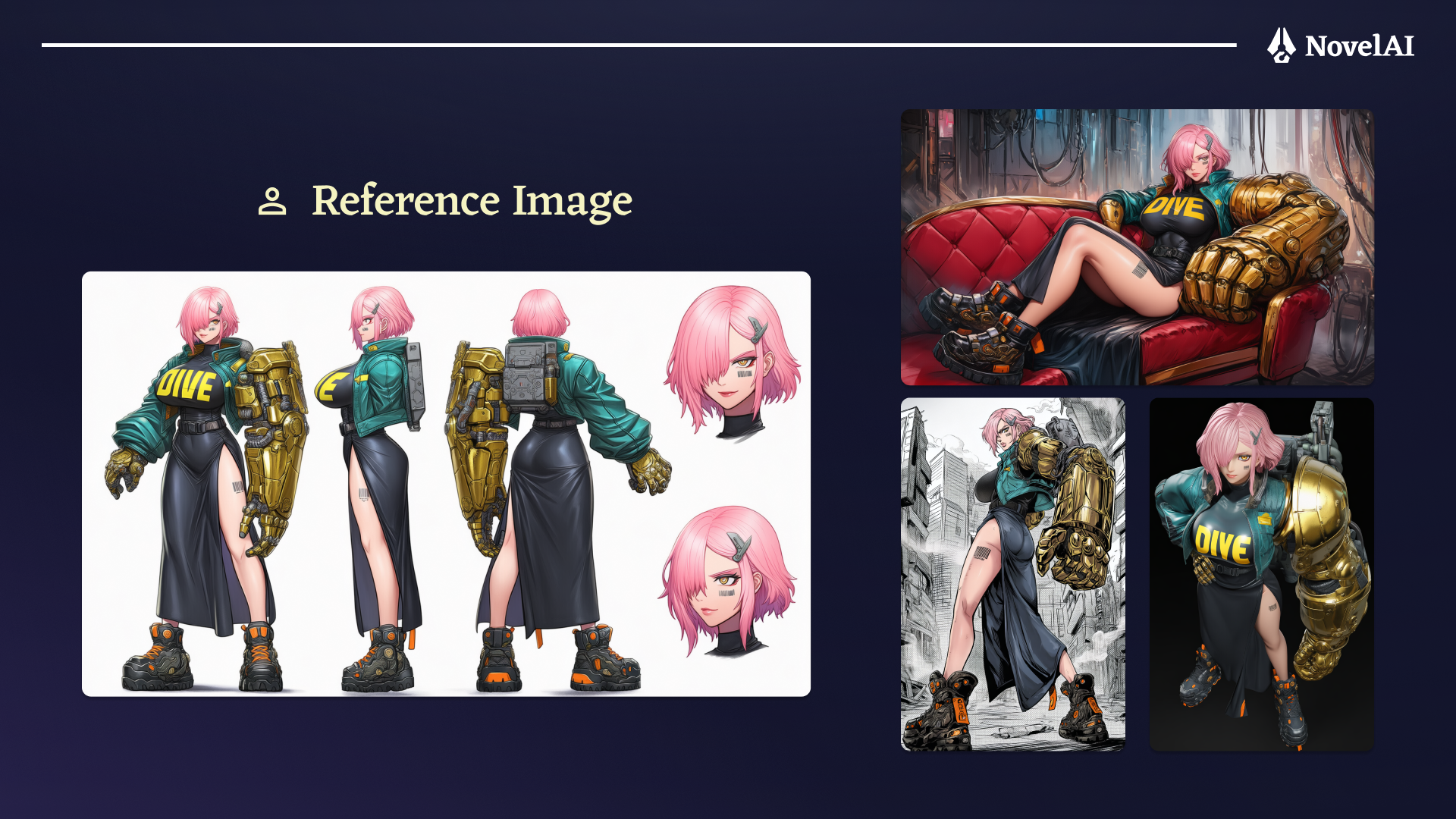
Images generated by @tohofrog on X
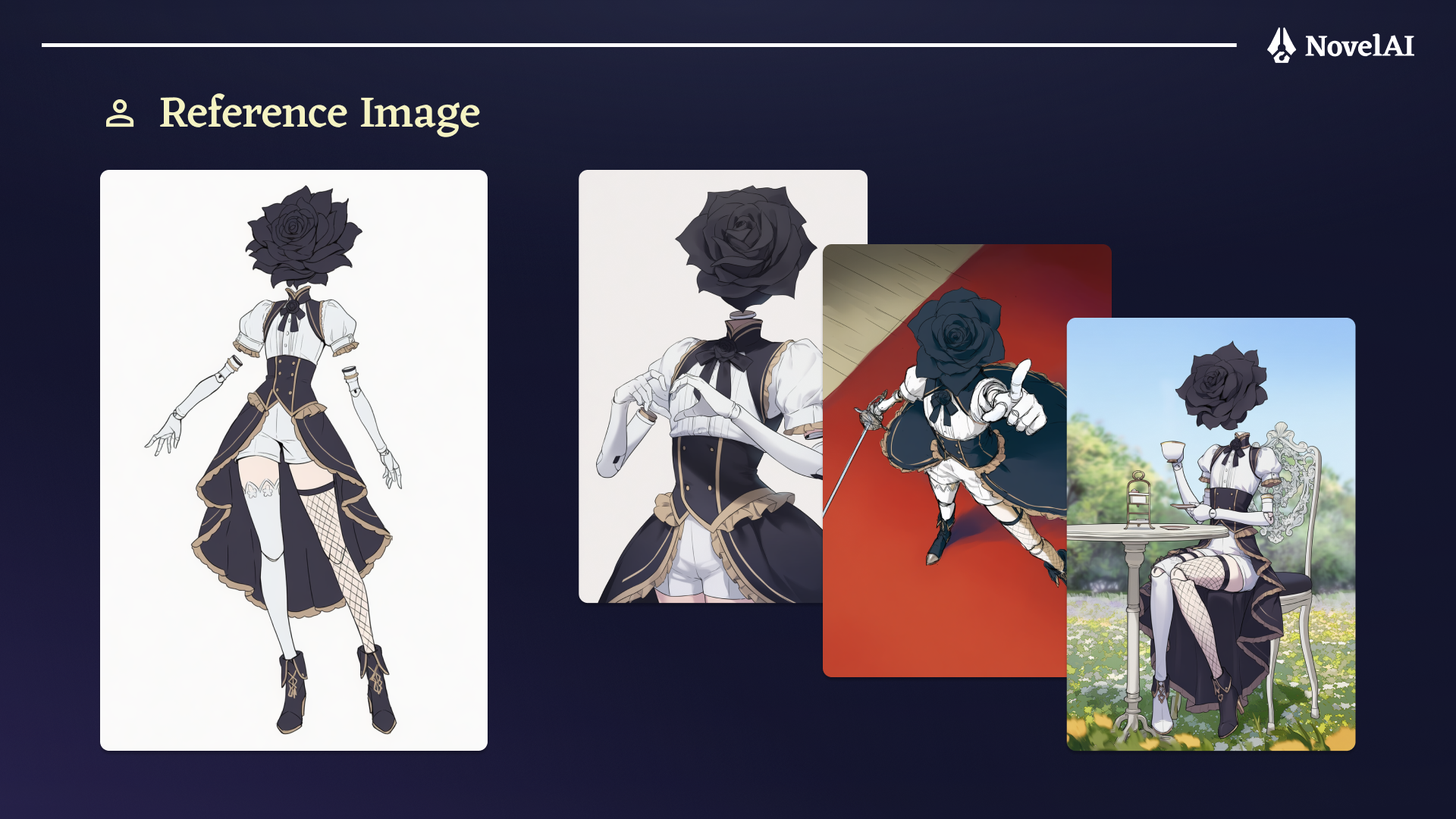
Images generated by @AI_Illust_000 on X