Journal entry
Image Generation Canvas Update: New Tools, Better Performance, and 3D Support
We’ve rolled out a new set of updates to the Canvas feature, focused on improving performance, usability, and creative flexibility. These changes are designed to make your creative experience smoother while giving you more control directly inside the canvas.
Faster and Smoother Performance
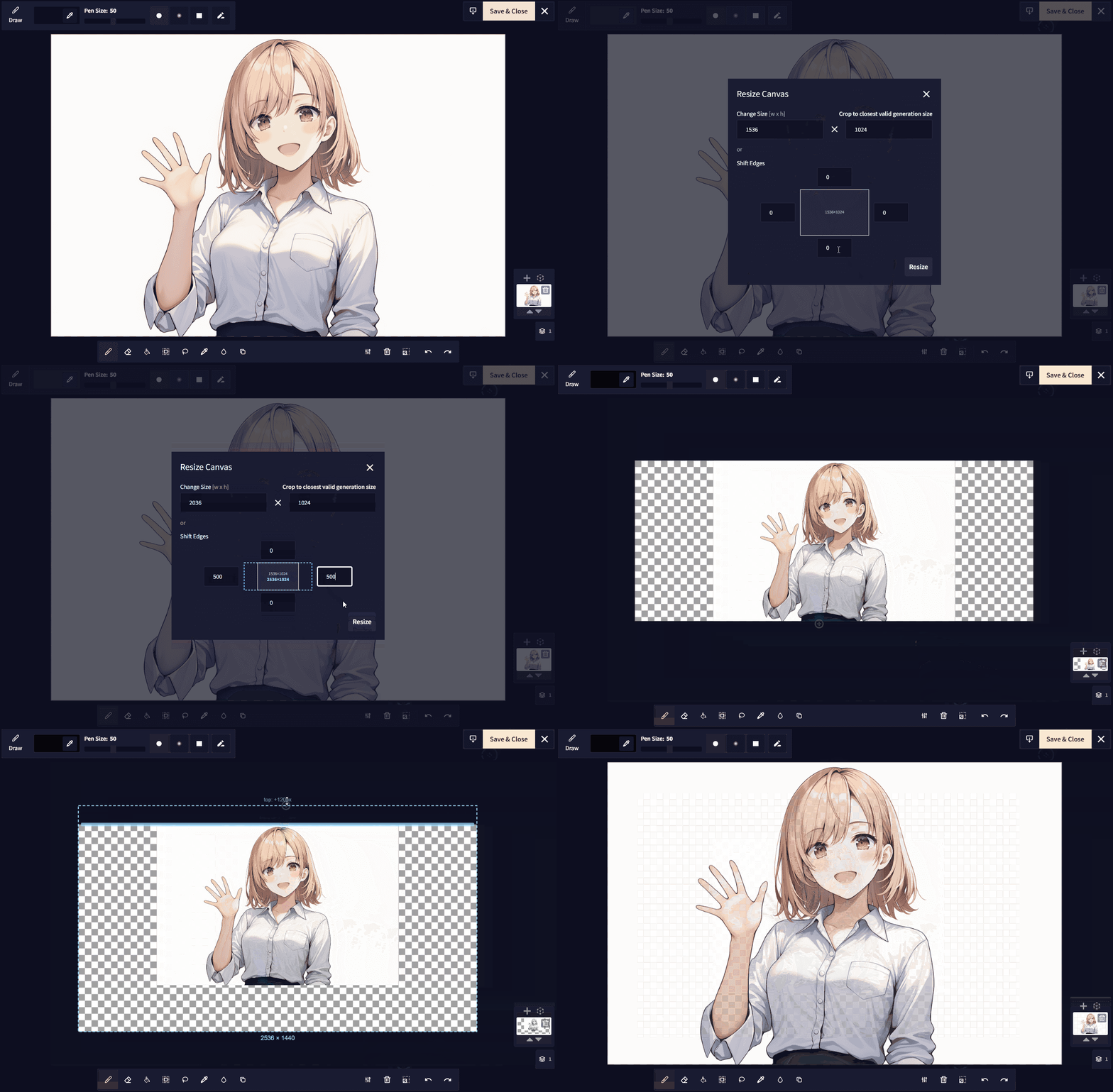
The canvas you are already used to now performs better overall, with noticeable improvements to responsiveness and resizing. Whether you’re working on large images or switching between tools, everything should feel more fluid and stable.
Improved Touch Controls
Touch interactions have been refined, hopefully making the canvas easier to use on tablets and other devices.
New Editing Tools
We’ve added several powerful tools directly to the canvas:
- Fill tool for quickly filling the color that’s selected.
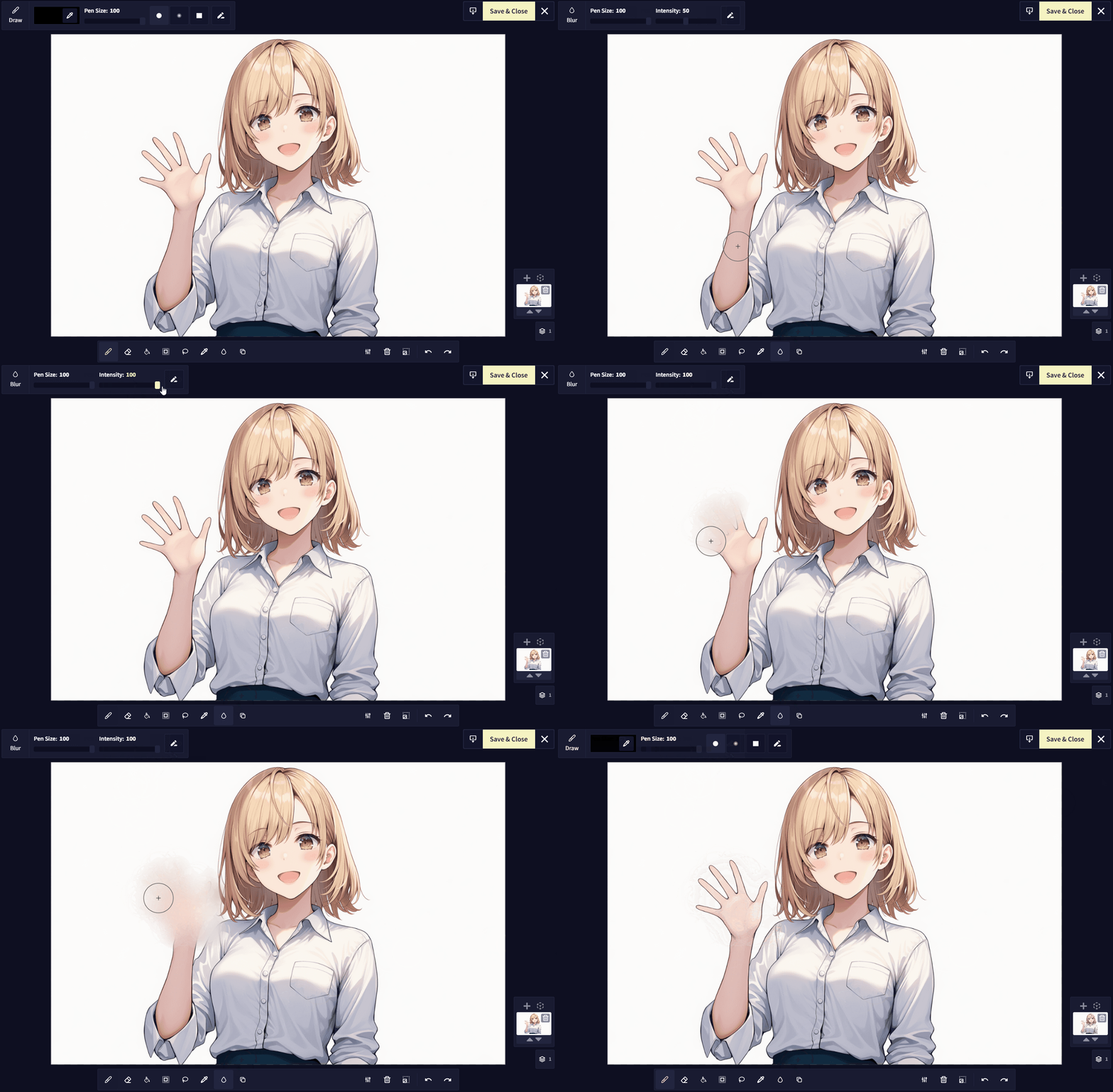
- Blur tool for softening parts of an image
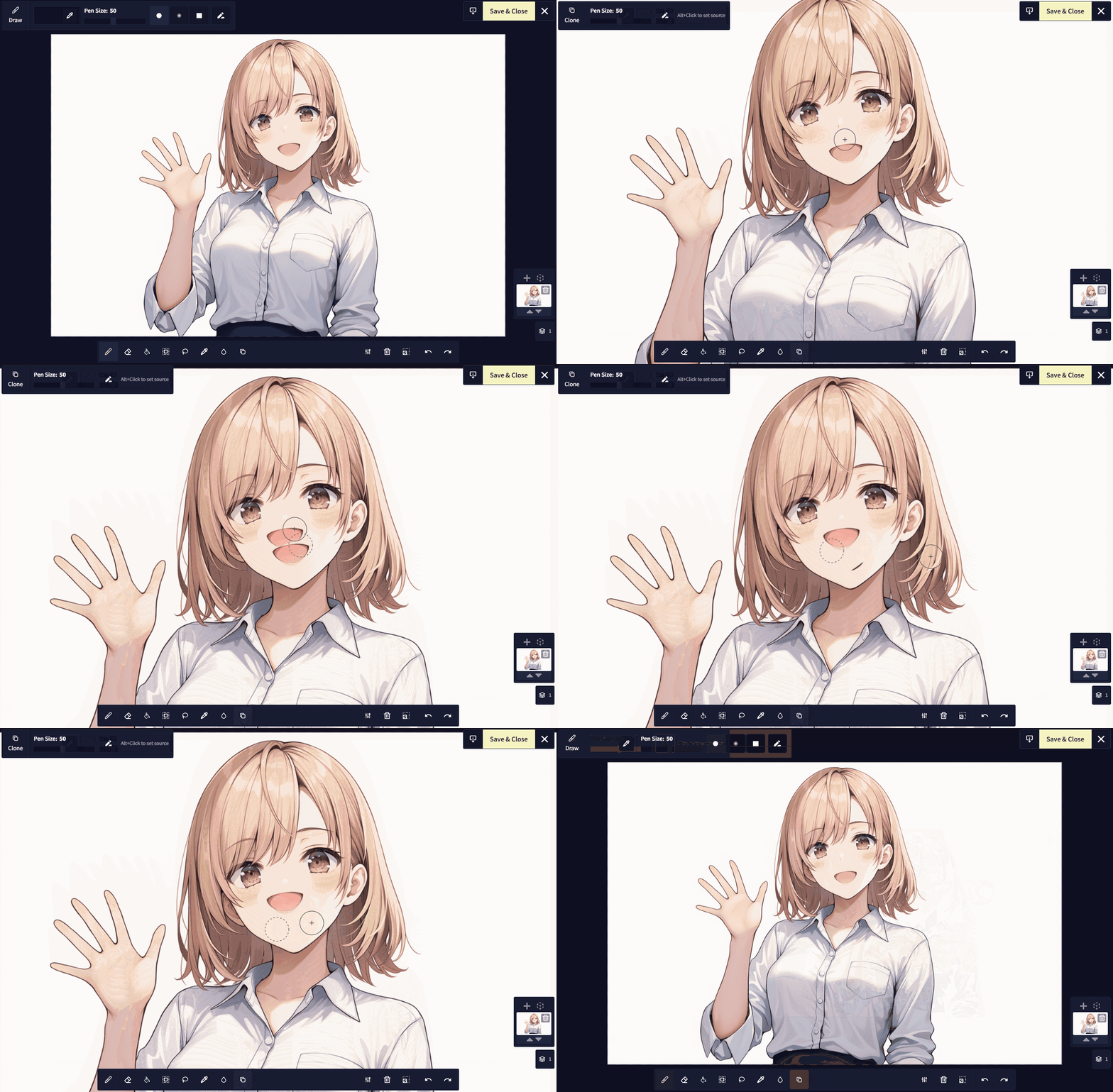
- Clone stamp tool for duplicating details or fixing small imperfections
- Lasso tool for selecting, resizing, and moving a part of the image
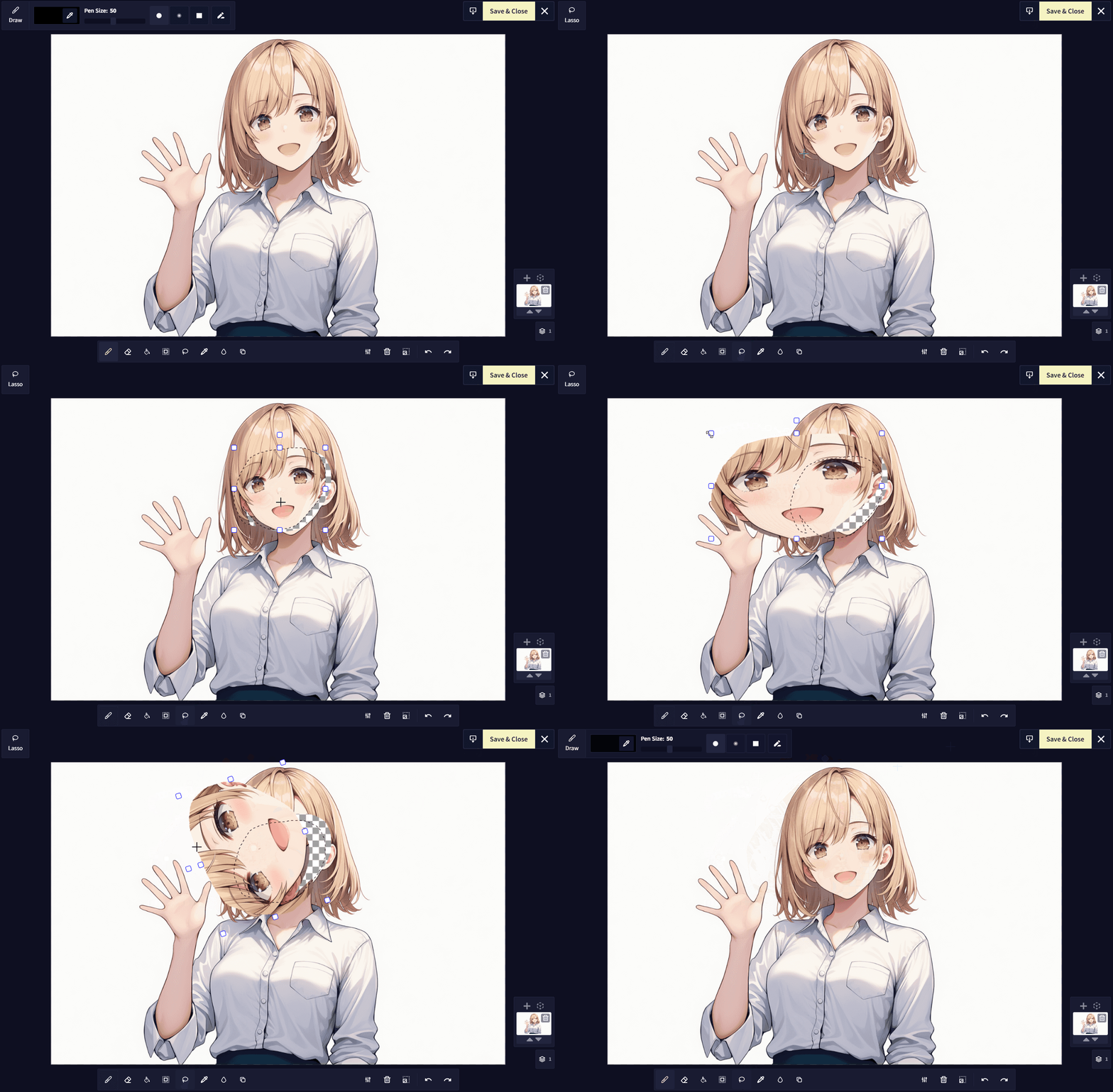
These tools make it easier to perform quick edits without needing to use an external image editing program.
Customizable Inpainting Masks
You can now adjust multiple settings for how inpainting masks are displayed for improved visual clarity. You can select from multiple colors, enable or disable the border, and choose a pattern for the mask.
Import and Pose 3D Models
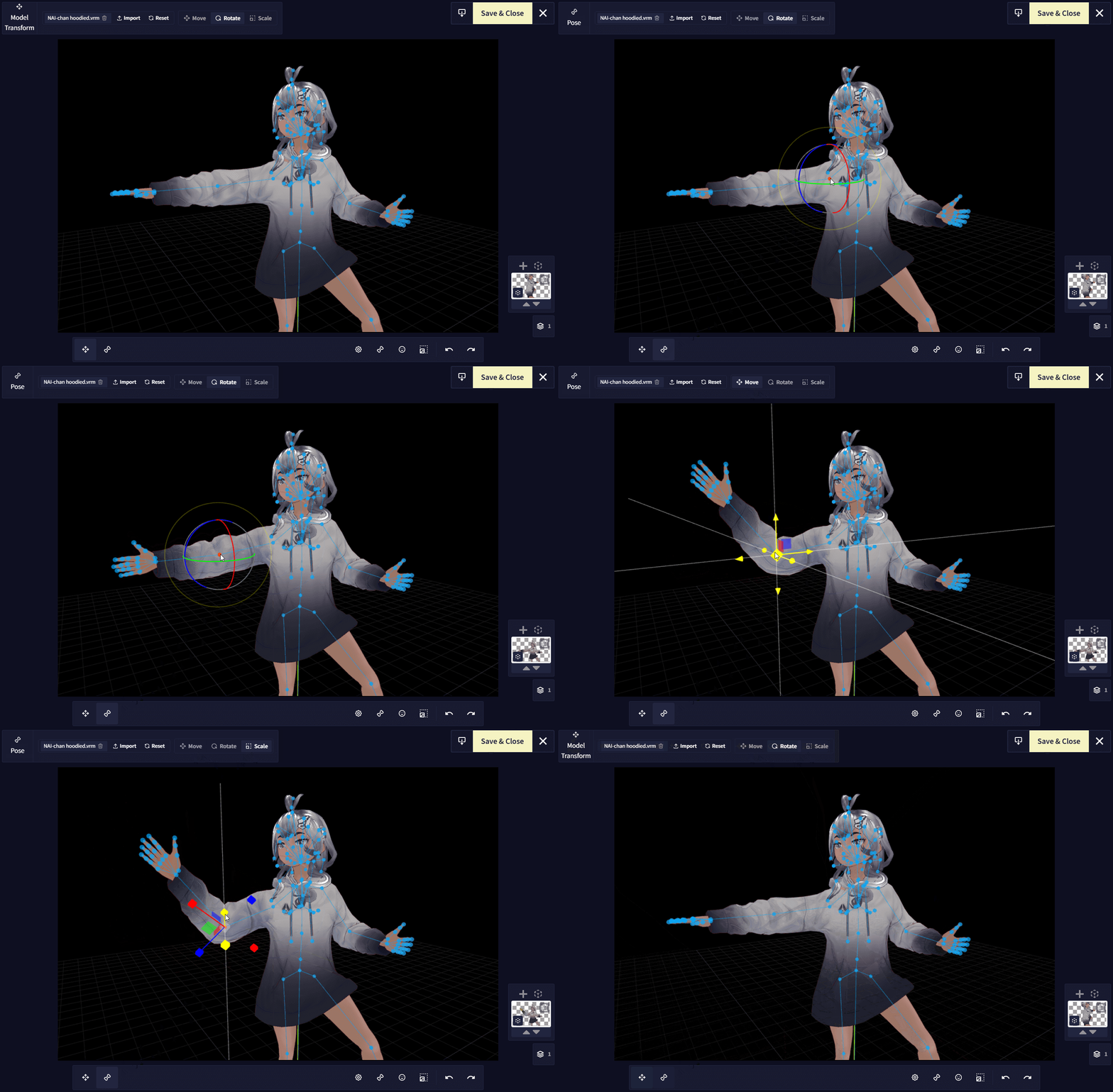
You can now import and pose 3D models directly in the Image Generation Canvas. This allows you to use 3D references for composition, anatomy, or scene layout.
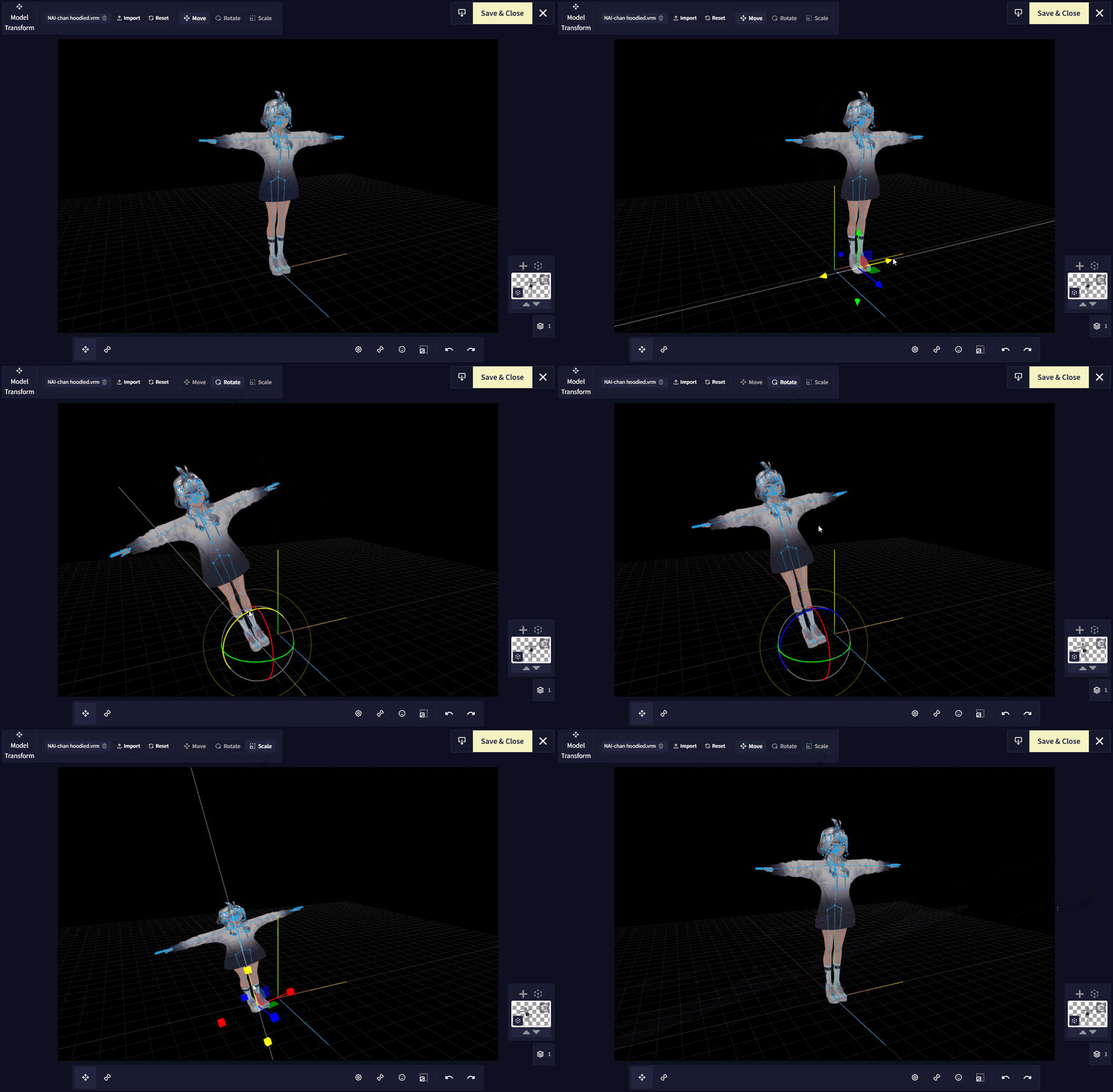
Supported file types are:
.glb, .gltf, .pmd, .pmx, and .vrm
If your model uses external resources like textures, make sure to upload all files together as a single .zip archive.
More Refinements
Alongside these new features, we’ve made a variety of smaller adjustments and bug fixes to improve overall reliability and polish.
Check out our official documentation page for a detailed rundown on each function!